


Ascension

Requirements to participate in Guild Ascension: eligible guild rank
Requirements to participate in Solo Ascension: level 400 or higher
Season 02
Information
- Ascension is a seasonal system that lets you unlock and upgrade bonuses by contributing gold coins and items.
- In Guild Ascension, progression is shared and bonuses benefit eligible guild members. In Solo Ascension, progression and bonuses belong to the individual character.
- During each Season, bonuses are upgraded through stages called Perks. Each completed stage increases the benefits granted by the system.
- The duration of each Season may vary. The remaining time can be checked directly in the Ascension window.
Bonus display on the character
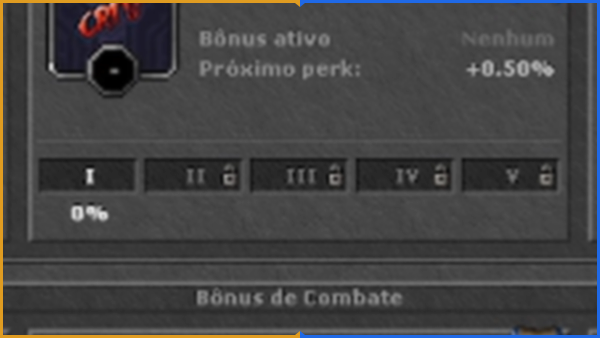
- Active benefits from Ascension can also be viewed in the character's Skills window.
- The bonus area displays only the benefits currently active on that character, making it easy to check which Ascension bonuses are being applied.


How it works
In both modes, Ascension has 6 bonus slots, distributed across the categories below.
| Slots | Category |
|---|---|
| 1 to 3 | General Bonus |
| 4 | Race Damage |
| 5 | Elemental Damage |
| 6 | Elemental Defense |
- Each bonus has its own progression with 5 Perks: Perk I → Perk II → Perk III → Perk IV → Perk V.
- Perks must be completed in order. It is not possible to start Perk III of a given bonus before completing Perks I and II of that same slot.
- Each slot progresses independently. During the same Season, the six bonuses may be at different stages of progression.
- When the requirements requested to activate the bonus are met, it will be activated automatically.
Example
- Experience — Perk IV
- Life Leech — Perk II
- Loot — Perk V
- Dragon Damage — Perk III
- Fire Damage — Perk II
- Death Defense — Perk I
Progressing one of these bonuses does not interfere with the progression of the others.
General Bonus
The first three slots belong to the General Bonus category. At the start of the Season, each receives a different random bonus.
| Bonus | Effect |
|---|---|
| Experience | Increases the experience gained by the character by a percentage. |
| Stamina Regeneration | Increases Stamina regeneration speed. |
| Fast Exercise | Increases training speed when using Exercise Weapons. |
| Life Leech | Increases the character's life leech percentage. |
| Mana Leech | Increases the character's mana leech percentage. |
| Critical | Increases the character's critical hit chance percentage. |
| Skill | Increases the character's main skill according to their vocation. |
| Weapon Proficiency | Increases the experience gained in the Weapon Proficiency system by a percentage. |
| Familiar Damage | Increases the damage dealt by the character's Familiar. |
| Loot | Increases the loot rate from defeated monsters by a percentage. |
Note
- The three General Bonuses are always different from each other. A bonus present in one slot cannot appear in the others.
- This rule also applies to Reroll: the new result cannot be the previous bonus from that slot or a General Bonus already active in another slot.
Race Damage
The fourth slot belongs to the Race Damage category. One of the races in the Bestiary will be randomly selected.
The Perks of this bonus increase the damage dealt to monsters of the selected race by a percentage.
Available races
- Amphibic

- Aquatic

- Bird

- Construct

- Demon

- Dragon

- Elemental

- Extra Dimensional

- Fey

- Giant

- Human

- Humanoid

- Inkborn

- Lycanthrope

- Magical

- Mammal

- Plant

- Reptile

- Slime

- Undead

- Vermin

Example
- If the selected bonus is Dragon Damage, the Perks in that slot increase damage against monsters in the Dragon category of the Bestiary.
- The higher the level reached in that slot, the greater the bonus granted against the selected race.
Elemental Damage
The fifth slot belongs to the Elemental Damage category. In this bonus, an element is rolled and the Perks increase the damage of that element dealt by the character by a percentage.
- Ice

- Fire

- Earth

- Energy

- Death

- Holy

- Physical

Example
If Fire is rolled, the Fire damage dealt by the character is increased.
Elemental Defense
The sixth slot belongs to the Elemental Defense category. An element is rolled and this slot's Perks increase the character's protection against that damage type by a percentage.
- Ice
- Fire
- Earth
- Energy
- Death
- Holy
- Physical
Example
If Death is rolled, the character receives additional protection against Death damage.
Note
- The Elemental Damage and Elemental Defense rolls are completely independent. The two slots may receive different elements or even the same element during a Season.
- Fire Damage and Fire Defense can be active at the same time. Elemental Defense applies to damage from monsters, bosses and players.
Perks
- Each of the six slots has 5 Perk levels. Unlocking is progressive: Perk I → Perk II → Perk III → Perk IV → Perk V.
- The previous level must be completed before the next one can progress. Each new Perk increases the benefit granted by that slot's bonus, and unlocked benefits are cumulative.
The table below is merely illustrative. The values do not match the actual in-game bonuses and are only meant to explain how accumulated progression works:
| Perk | Additional bonus | Accumulated total |
|---|---|---|
| Perk I | +1% | +1% |
| Perk II | +1% | +2% |
| Perk III | +2% | +4% |
| Perk IV | +3% | +7% |
| Perk V | +4% | +11% |
| Values are merely illustrative — they do not represent the actual Ascension bonuses. | ||
In this hypothetical example, completing Perk III gives the character a total of +4% from that bonus. Actual progression values vary by bonus type and do not necessarily follow this table.
Requirements to unlock Perks
- Gold coins are taken from the character's money and bank balance.
- Items are taken from the character's Ascension Stash.
- At Perk V, the item requirement is a set piece. Any piece of the set can be contributed.
Ascension Stash
Ascension Stash is storage exclusive to the Ascension system. Unlike the conventional Stash, this tab only stores items used to upgrade Perks.
- Items stored in it will be automatically available for use in the Perk evolution process.
- This new option can be accessed through any Locker.
- Before adding any item, make sure you really want to use it in the Ascension system.
- Items stored in the Ascension Stash are counted individually for each character.

Switching systems
- At the start of each Season, each character chooses between Guild Ascension and Solo Ascension. The choice lasts until the end of the Season.
- Solo Ascension is only available to characters at level 400 or above.
- A member who chooses Solo Ascension stays in the guild but does not participate in its Guild Ascension.
- Switching systems during a Season is allowed, but costs gold coins and places the character on a cooldown.
- When switching from Solo Ascension to Guild Ascension, the cooldown is 4 days and the gold coin cost varies according to the character's level.
- The cost is shown in the window before confirmation.
Note
- When switching from Guild Ascension to Solo Ascension, the character stops receiving Guild Ascension bonuses. Contributions already made remain with the guild.
- When switching from Solo Ascension to Guild Ascension, all Solo Ascension progress is lost.
- Solo Ascension always starts at Perk I.
Requirements
- The guild must have more than 50 eligible members.
- The system will only apply to characters in eligible ranks.
- All eligible members can view the progression and contribute to the available Perks. The Reroll action is exclusive to the guild's founding leader.
- At the start of each Season, each character chooses between Guild Ascension and Solo Ascension. See Switching systems for details.
Note: Eligible rank configuration for the system is performed by the founding leader, directly on the Guild page on the website.
Guild Ascension progression
At the start of each Season, Guild Ascension rolls 6 bonus categories for every participating guild.
Completing all Perks for a bonus unlocks a Season reward. See Season rewards for details.

Requirements to unlock Perks
Each Perk has its own requirements. The required amount scales with the number of eligible guild members. Guilds with more eligible members have proportionally higher requirements.
Contributing to a Perk
- Every eligible guild member can contribute to the available Perks.
- When selecting an item requirement, the system will analyze the resources available in the character's Ascension Stash. The player can contribute only up to the remaining required amount.
- Each requirement shows how much the guild still needs (Still needed) and how much the character has already contributed (Your contribution).
- The Contribute button submits the chosen amount for the selected requirement. Contribute All Items submits as much as possible toward all item requirements of the Perk.

Example
A Perk requires 1,000 Demon Horns. The guild has already delivered 850 Demon Horns. Therefore, 150 Demon Horns remain.
Even if the player has 500 Demon Horns available, the system will use only the 150 units needed to complete the requirement. It is not possible to contribute more than the requested amount.
Member update
- Guild Ascension uses an automatic update system based on the guild's eligible members. This ensures the guild's evolution automatically follows member changes, keeping progression fair and consistent.
- When creating or editing a guild rank, the leader can define whether that rank is eligible or not for the Guild Ascension system.
- Requirements follow the current number of eligible members. They increase when someone joins an eligible rank and decrease when someone leaves.
- If the guild has already advanced to a higher Perk, it will only need to complete the difference from the previous stages before continuing its evolution.
Example
- The guild has 500 eligible members and reaches a given Perk.
- New players join eligible ranks, increasing the total to 510 members.
- The system recalculates the requirements needed to maintain progression.
Perk activation example
- Perk I: 1kk
- Perk II: 2kk
- Perk III: in progress
After new eligible members join, the guild must complete the additional amounts from Perks I and II to keep Perk III active.
Reroll
Didn't like one of the rolled bonuses? Each of the six slots has a Reroll option.
Reroll replaces the current bonus with another one from the same category.
| Category | Possible result |
|---|---|
| General Bonus | Another General Bonus |
| Race Damage | Another race |
| Elemental Damage | Another element |
| Elemental Defense | Another element |
- The guild earns 1 free Reroll every 6 hours and can store up to 20. At the limit, the timer stops until a Reroll is used.
- Each Reroll consumes 1 of the guild's stored Rerolls. The top of the window shows the available amount (Rerolls) and the time until the next one (Free reroll in).
- The bonus currently in the slot cannot be rolled again in that Reroll. In General Bonus slots, it is also not possible to receive a bonus that is already active in another General Bonus of the guild.
- During confirmation, the question mark on the new bonus shows the list of bonuses that can be rolled for that slot.
Reroll with unlocked Perks

Example
- The guild has Experience (Perk III). The leader performs a Reroll on that slot and receives Life Leech.
- The Experience bonus will be removed from that slot along with its progress. The new Life Leech will start again at the beginning of its progression, with Perk I still locked.
- Before confirming a Reroll with existing progress, a warning shows the loss of Perks and the Reroll that will be consumed.
Season rewards
- Each Season has 6 rewards, always unlocked in the same order.
- Completing Perk V for a bonus makes the next reward available in that slot, beside the Perks.
- When claimed, the reward is sent to the guild founding leader's mailbox. The leader decides who receives it. The next completed bonus then unlocks the following reward.
- A Reroll does not restart the reward sequence.
| Reward | Item |
|---|---|
| #1 |  |
| #2 |  |
| #3 |  |
| #4 |  |
| #5 |  |
| #6 |  |
Example
- The guild completes Perk V for Ice Protection and claims reward 1 of 6, which goes to the founding leader's mailbox.
- The guild then completes Perk V for Dragon Damage. This bonus unlocks reward 2 of 6.
Index
Don't know the RubinOT servers?
RubinOT offers challenges, custom events and much more.
Join now to start your adventure where the true magic happens!